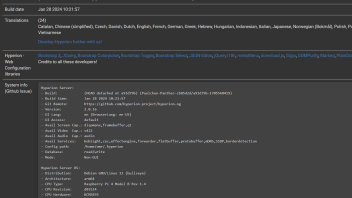
2 wled from same grabber:

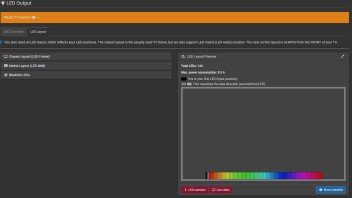

https://www.fruugonorge.com/nk-s41-hdmi-game-capture-card-usb30-capture-hdmi-4kp60/p-242559432-522105197

Crash frequency:

omr@rpi4attic:~ $ journalctl | grep -i -e '7/BUS' -e ABRT
Mar 27 09:43:44 rpi4attic systemd[1]: hyperion@omr.service: Main process exited, code=killed, status=7/BUS
Apr 01 07:26:39 rpi4attic systemd[1]: hyperion@omr.service: Main process exited, code=killed, status=7/BUS
Apr 04 18:43:43 rpi4attic systemd[1]: hyperion@omr.service: Main process exited, code=killed, status=7/BUS
Apr 05 10:31:56 rpi4attic systemd[1]: hyperion@omr.service: Main process exited, code=killed, status=7/BUS
Apr 10 17:34:31 rpi4attic systemd[1]: hyperion@omr.service: Main process exited, code=killed, status=7/BUS
Apr 12 03:38:21 rpi4attic systemd[1]: hyperion@omr.service: Main process exited, code=killed, status=7/BUS
Apr 13 16:25:56 rpi4attic hyperiond[60764]: Hyperion caught signal :SIGABRT
Apr 15 09:26:08 rpi4attic systemd[1]: hyperion@omr.service: Main process exited, code=killed, status=7/BUS
Apr 17 02:57:03 rpi4attic systemd[1]: hyperion@omr.service: Main process exited, code=killed, status=7/BUS
Apr 18 04:55:11 rpi4attic hyperiond[74833]: Hyperion caught signal :SIGABRT
Apr 22 13:27:35 rpi4attic hyperiond[88257]: Hyperion caught signal :SIGABRT
Apr 25 16:34:53 rpi4attic systemd[1]: hyperion@omr.service: Main process exited, code=killed, status=7/BUS
Apr 26 23:08:21 rpi4attic systemd[1]: hyperion@omr.service: Main process exited, code=killed, status=7/BUS
Apr 29 11:29:21 rpi4attic systemd[1]: hyperion@omr.service: Main process exited, code=killed, status=7/BUS
Apr 30 08:11:11 rpi4attic systemd[1]: hyperion@omr.service: Main process exited, code=killed, status=7/BUS
May 01 23:27:26 rpi4attic hyperiond[113506]: Hyperion caught signal :SIGABRT
May 03 04:43:40 rpi4attic hyperiond[122659]: Hyperion caught signal :SIGABRT
Alles anzeigen
This does not always restart automatically:
omr@rpi4attic:~ $ cat /etc/systemd/system/hyperion@.service
[Unit]
Description=Hyperion ambient light systemd service for user %i
Documentation=https://docs.hyperion-project.org
Requisite=network.target
Wants=network-online.target
After=network-online.target
After=systemd-resolved.service
StartLimitIntervalSec=0

[Service]
ExecStart=/usr/bin/hyperiond
WorkingDirectory=/usr/share/hyperion/bin
User=%i
TimeoutStopSec=5
KillMode=mixed
Restart=always
RestartSec=5

[Install]
WantedBy=multi-user.target
Alles anzeigen
Any hints on how to proceed?


