

pclin hast du noch eine Idee woran es liegen könnte?
Posts by NIFO43
-
-

Mit dem WLED Controller gibt es kein Problem, deshalb flackert es auch nicht wenn du WLED verwedest.
Masse vom WLED Controller mit der Masse vom vermutlich RPI miteinander verbinden.
gruß pclin
Da muss es doch noch nh andere Lösung geben. Der Pi und der wled controller sind an komplett verschiedenen Stellen.
Mit dem WLED Controller gibt es kein Problem, deshalb flackert es auch nicht wenn du WLED verwedest.
Masse vom WLED Controller mit der Masse vom vermutlich RPI miteinander verbinden.
gruß pclin
Ich habe den PI nun statt externer Stromversorgung direkt an die 5V und G vom WLED Controller angeschlossen und es flackert immer noch.
-
Also ist der WLED Controller den ich habe nicht dafür geeignet? Ich habe diesen ja extra gekauft damit ich nichts selber löten muss.
Der Ground von den LED ist mit dem Ground von der Stromversorgung verbunden -
Auf 4K 60Hz reduzieren oder einen Granber mit 4K 120Hz am Eingang verwenden.
gruß pclin
Klappt hdr oder dolby vision trotzdem?
Was meinst du mit Grabber auf 4k 60hz verwenden? Der Apple TV kann doch nur 4k 60hz. Ich würde am liebsten 4k 60hz hdr verwenden aber es läuft aktuell nur mit 4k 60hz sdr
-
Gemeinsamer Ground verwendet?
gruß pclin
Eigentlich nicht. Ich habe das hier für die leds verwendet. Ich kann die LEDs ja auch ohne Probleme und mit Animationen über die Wled App steuern. Das flackern habe ich nur mit hyperion
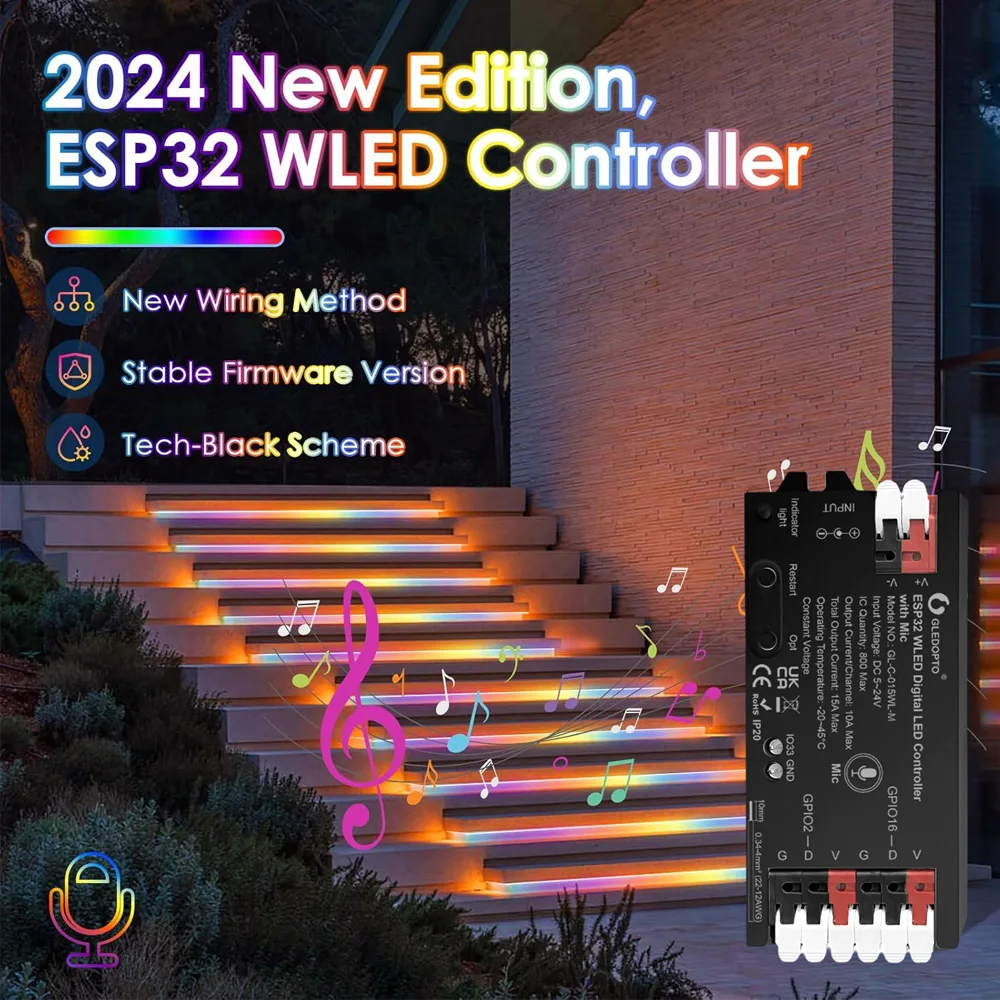 WLED-Controller ESP32 mit Mikrofon, adressierbarer LED-Controller für RGB-RGBW-Lichtleiste WS2812B SK6812 WS2811 TM1814 WS2813 WS2815 - AliExpress 39Smarter Shopping, Better Living! Aliexpress.comde.aliexpress.com
-
I just added my WLED strip during the LED setup. It immediately recognized that there are 267 LEDs. However, only the last 30 LEDs are synced to my strip. When I click on “Identify,” all LEDs light up.
LED-Configuration
[ { "hmax": 0.6489, "hmin": 0.6383, "vmax": 1, "vmin": 0. - Pastebin.comPastebin.com is the number one paste tool since 2002. Pastebin is a website where you can store text online for a set period of time.pastebin.com
I have solved the problem for now. All LEDs are now lighted, but they are flickering.
External Content youtu.beContent embedded from external sources will not be displayed without your consent.Through the activation of external content, you agree that personal data may be transferred to third party platforms. We have provided more information on this in our privacy policy.I would like to note that it is not due to the video. As you can see in the live video, it is well received.
-
Guten Tag,
ich versuche aktuell mein Ambilight zu bauen aber ich erhalte nur ein Farbtestbild auf dem PI. Kann vielleicht jemand mal überprüfen ob die Hardware dafür geeignet ist?
Ich habe folgende Geräte:- Apple TV 4k
- Ezcoo 4K 60Hz HDMI Splitter 1x2 1080P 120Hz HDCP2.2 HDR 18Gbps UHD Dolby Vision Atmos EDID Scaler 4K 1080P Dual Monitors HDMI 2.0 Splitter 1 in2 Out for PS5, SkyQ, Xbox, Fire Stick ( https://www.amazon.de/dp/B083JVPXDY?tag=hyperioforum-21 )
- HDMI to USB Adapter ( https://www.amazon.de/dp/B0B7DSPPNX?tag=hyperioforum-21 )
- Raspberry pi 4B mit Hyperion
- WLED mit LED Streifen
LG
Niklas
-

pclin ich habe alle Videoeinstellungen durch und es klappt nicht.
-
pclin hast du sonst noch eine Idee?
-
Farbbalkentestbild liefert der Grabber wenn kein Eingangssignal am Grabber vorhanden ist.
Teste mal mit einem anderen Gerät als Apple TV als Quelle.
HDCP sollte eigentlich kein Problem sein.
gruß pclin
Ich habe mein Macbook als Input genommen und dort zeigt hyperion dann ein live Bild an. Nur beim Apple Tv nicht.
-
Hey,
I'm trying to get my Ambilight to work but all I get with my setup is a color bar test image (see picture). I have the following components:
- Ezcoo EZ-SP12H2 (HDMI Splitter, https://www.amazon.de/dp/B083JVPXDY?tag=hyperioforum-21 )
- HDMI Capture Card (HDMI -> USB, https://www.amazon.de/dp/B0B7DSPPNX?tag=hyperioforum-21 )
My Apple TV is connected to the HDMI IN. Out 1 goes to the TV and Out 2 with the HDMI to USB Capture Card to the Raspberry Pi.
But now I have the problem that when I watch the live image from hyperion, nothing appears although it is selected as the input source. If I use a command to output the current image, I get the image shown in the attachment. I have now connected the usb capture card to my Macbook and there I get the video from the Apple TV. Is this an HDCP problem or something else? However, it says online that the HDMI splitter has an HDCP bypass.
Does anyone have any idea and can they please help me? I have been looking for the error for a few days now.
--------
German
Hey,
ich versuche mein Ambilight zum laufen zu bringen aber erhalte mit meinem Setup nur ein Farbbalkentestbild (siehe Bild). Ich habe folgende Komponenten:
- Ezcoo EZ-SP12H2 (HDMI Splitter, https://www.amazon.de/dp/B083JVPXDY?tag=hyperioforum-21 )
- HDMI Capture Card (HDMI -> USB, https://www.amazon.de/dp/B0B7DSPPNX?tag=hyperioforum-21 )
Mein Apple TV ist an den HDMI IN angeschlossen. Dort geht Out 1 an den Fernseher und Out 2 mit der HDMI zu USB Capture Card an den Raspberry Pi.
Nun habe ich aber das Problem das wenn ich mir das Livebild von hyperion anschaue einfach nichts kommt obwohl es als Eingabe Quelle ausgewählt ist. Wenn ich über einen Befehl mir das aktuelle Bild ausgeben lassen erhalte ich das Bild was im Anhang zu sehen ist. Ich habe die usb capture card jetzt mal an mein Macbook angeschlossen und dort erhalte ich aber dann das Video vom Apple TV. Ist das ein HDCP Problem oder etwas anderes. Wobei aber online steht das der HDMI Splitter ein HDCP Bypass hat.
Hat irgendwer eine Ahnung und kann mir bitte helfen. Ich suche den Fehler schon seit einigen Tagen.
-
Hey, is it possible to control multiple LED strips. I currently imagine it that way because I want LEDs all around the television and again under my TV cabinet. Logically, this strip should only show the colors of the lower TV area.